Free Premium
The website widget
A widget that stays on your sites and keeps the conversation going
Version 2.0.6 adds a list of allowed domains, a light, dark or automatic colour scheme, a pop-out window, email collection with replies by email, help articles that open inside the widget, audio, video and location sharing, and buttons, forms and cards.
All of it is free on every edition, with unlimited agents. Agent bots, which answer in the widget from your own service, are part of Premium. This page describes the ASP.NET Core edition of DChat; the separate Web Forms package has its own widget without these additions.
Only on your sites
List the domains the widget may run on. Other sites get an error from the server and the widget shows nothing there.
Nobody left waiting
Ask a waiting visitor for an email address. If they have gone when you reply, the reply is emailed to them.
More than text
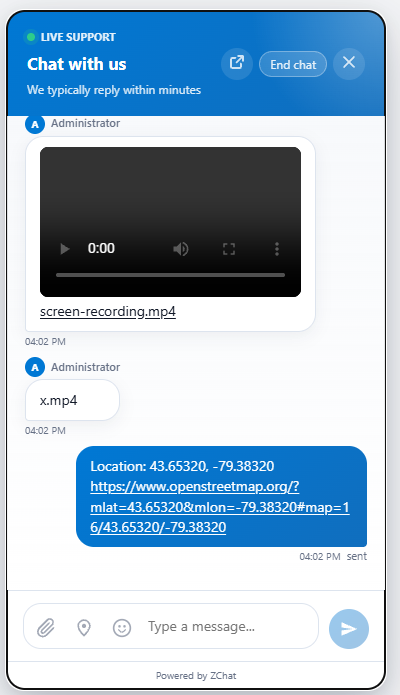
Audio and video play in the chat, visitors can share their location, and agents can send buttons, forms and cards.
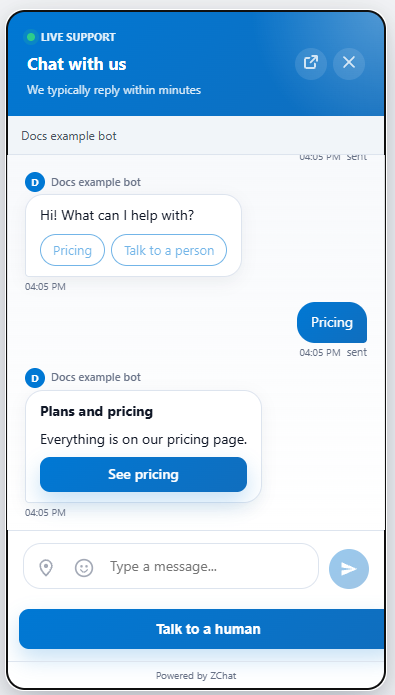
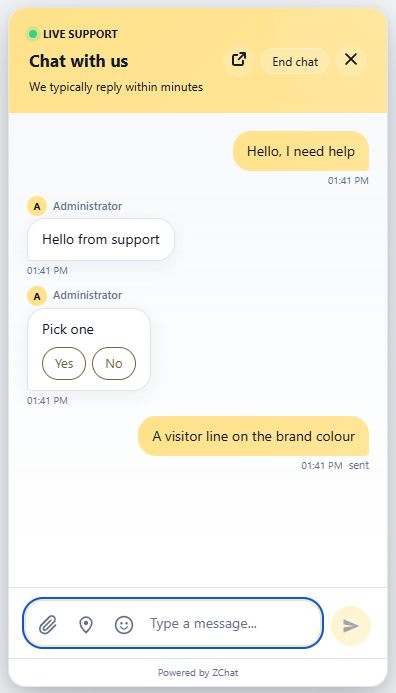
Buttons and cards
Quick-reply buttons and a card with a link, here sent by an agent bot.
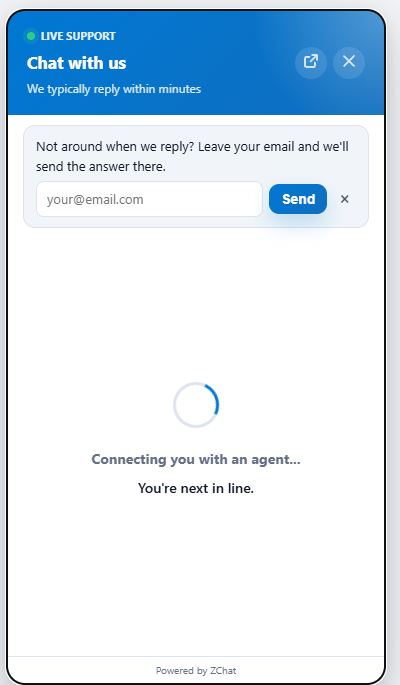
Answer by email
A waiting visitor is asked where to send the answer.
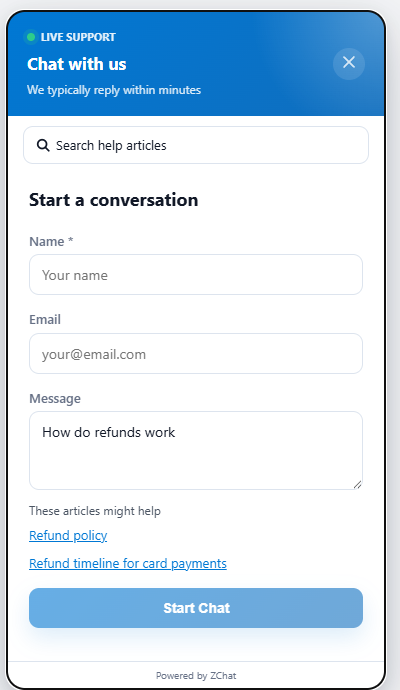
Help while typing
Matching help articles appear under the question, from the fourth character typed, before the chat starts.
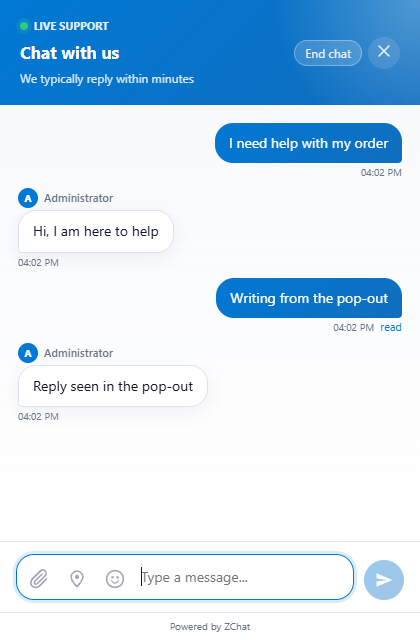
Pop-out window
The visitor can move the chat into its own window and keep it open while they browse.
Media and location
Video (up to 25 MB) and audio (up to 16 MB) files play inline, and a shared location arrives as an OpenStreetMap link.
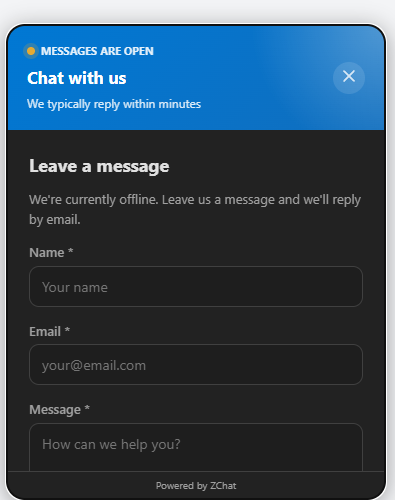
Dark mode setting
Choose light, dark, or automatic to follow the visitor's device.
FreeAdded in 2.0.8
Accessible to WCAG 2.2 AA
The widget and the agent dashboard work from the keyboard and with screen readers. Tab reaches the launcher, focus stays inside the open chat and returns when it closes, and Escape closes it. New messages are announced without moving focus, form errors are tied to their fields, and text on your brand colour stays readable even when the colour is very light. The widget follows reduced-motion settings and reflows at 320 px wide and at 200% zoom. It is checked with axe-core and real keyboard tests, in English, Arabic (right to left) and dark mode.
PremiumAdded in 2.0.8
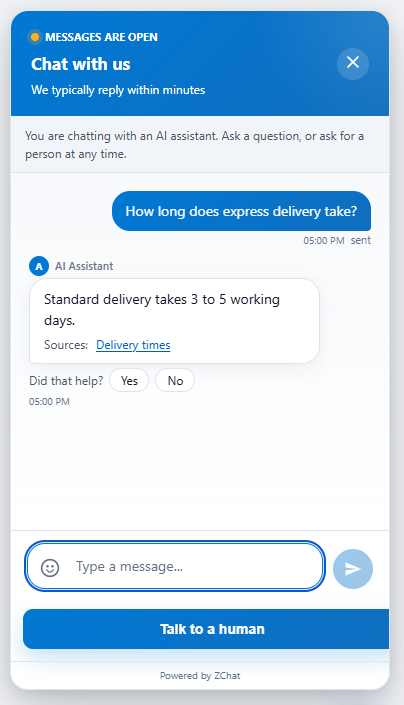
Cited answers and “Did that help?”
When the AI assistant answers from your knowledge sources, the pages it used appear as links under the reply. The visitor can answer “Did that help?” or ask for a person at any time; both feed the AI resolution report.
FreePremiumAdded in 2.0.10
Several websites on one install
The Sites page gives each website its own embed id, its own allowed domains, a default department and team, and its own line in Reports, and conversations show which site they came from. Sites, domains, routing and the per-site report are free in any number. Giving a site its own look – colour, header title, greeting, position, language, pre-chat questions – is free for the first site and part of Premium for the others; without Premium they use the Widget Builder look and keep working. A snippet without a site id behaves exactly as before.
FreeAdded in 2.0.10
Typing preview, off unless you turn it on
With the typing preview setting on, the agents in a conversation see the visitor’s message while it is being typed, and the widget tells the visitor “Agents can see your message as you type” beside the message box. The draft goes only to the agents in that conversation and is never stored or logged. It is off by default, and while it is off the widget does not send the draft at all.
A better widget, free with unlimited agents
Add Premium only if you want agent bots, the AI assistant and the other paid features.