ZChat self-hosted is now DChat. Same product, same licence, new name - existing installs keep working.
Self-hosted live chat with an optional AI agent
Free self-hosted live chat. Your server. Your data.
Unlimited agents on your own server and database, with an optional AI agent that answers from your content and hands visitors to your team. Free with unlimited agents; runs on your server; AI on your model, even a local one.
Download free See pricing
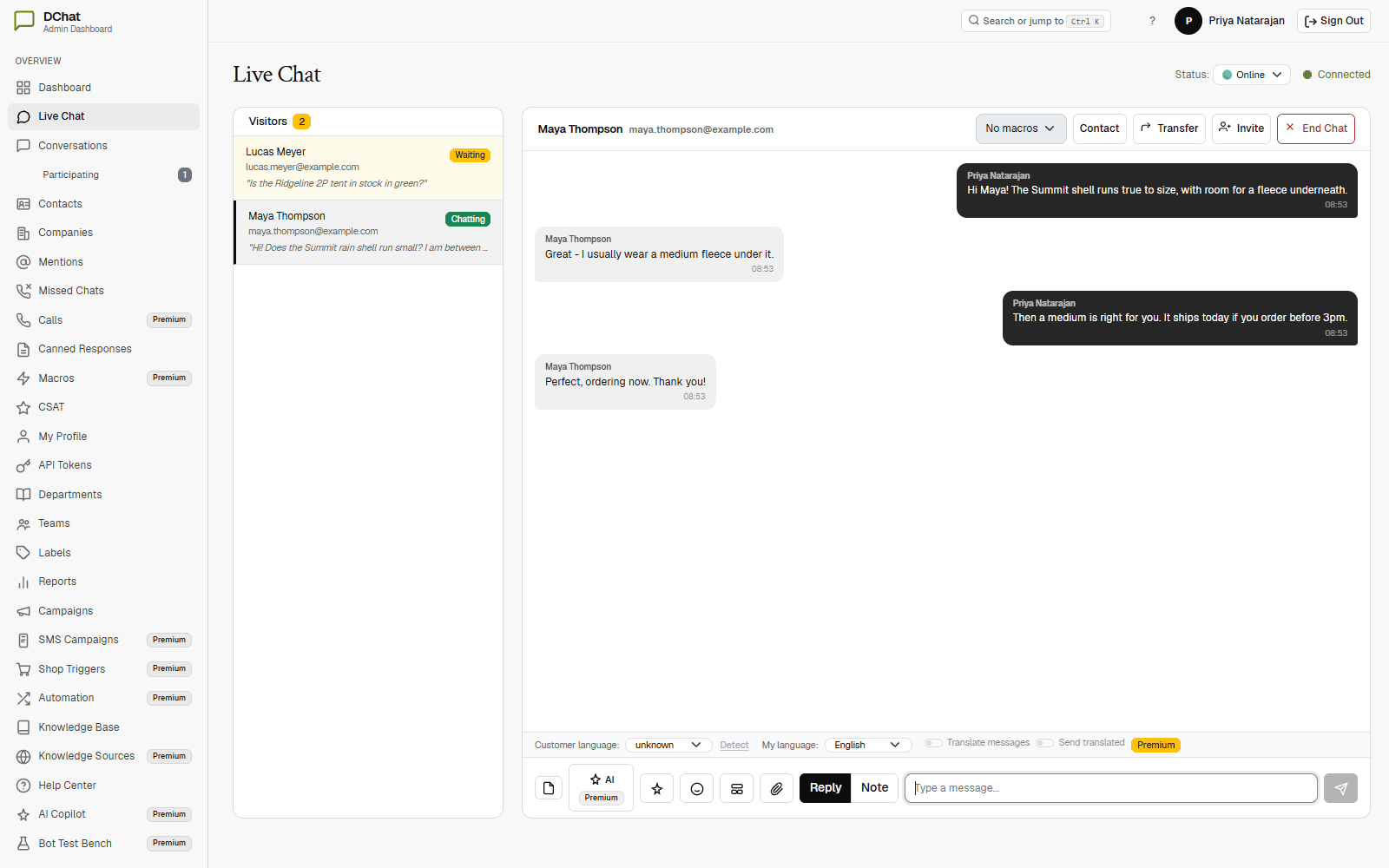
Live chat free. AI agent when you want it.
Every install starts on Community: unlimited agents and domains, no licence file, no expiry. Stop paying for Premium and live chat keeps running.
- Community, $0: chat widget, shared inbox, contacts and help center; email inbox beside web chat; visual bot flows (AI steps need Premium); REST API, signed webhooks and a widget SDK; audit log, retention policies, and two-factor sign-in on the ASP.NET Core edition.
- Premium, $19 per agent per month (optional, on the agents you choose): AI agent that answers from your knowledge with cited sources; AI actions with agent or visitor approval, AI triage and Copilot; custom roles, automation rules and macros; WhatsApp, Messenger, Instagram, Telegram, LINE, SMS, Twilio voice and Slack.
- Enterprise, $49 per agent per month: everything in Premium plus single sign-on, SCIM, an IP allowlist and advanced SLA policies. We never charge per conversation or per resolution.
Compare tiers
See what your team works in every day
- Shared inbox (free): statuses, priorities, assignees, labels and saved views; private notes with @mentions, snooze, merge and bulk actions; a contact record for every customer. Conversations and inbox
- Chat widget (free): pre-chat capture, offline messages, file sharing, allowed domains, a dark mode setting, a pop-out window, buttons, forms, cards and carousels, and replies by email. The chat widget
- AI agent (Premium): answers from your help articles, a crawl of your website and your PDF, Word and CSV files with its sources linked; takes real actions through your own endpoints with agent or visitor approval; triages the inbox; hands off to a person with the conversation attached; runs on OpenAI, Anthropic or a local Ollama model. Everything the AI agent does
- Bot flows (free): questions, buttons, conditions and handoffs on a canvas, with a simulator; AI answer and AI action steps need Premium.
- Reports (free): volume, first-response and resolution times, CSAT, and breakdowns by label, agent, department and channel, with CSV export. Reports and analytics
All features | Product tour | Use cases
Your server, your database, your rules
DChat runs where you put it and stores everything in your own SQL Server. Point the AI agent at a local Ollama model and its prompts and answers stay on your own infrastructure.
- Your SQL Server database, on every edition.
- Two-factor sign-in, audit log, retention policies and legal holds: free (two-factor on the ASP.NET Core edition).
- Single sign-on (OpenID Connect or SAML), SCIM provisioning and an IP allowlist: Enterprise.
Security and compliance features | Where your chat data is stored
From zip file to live chat in four steps
- Download one 47 MB zip: server, dashboard, widget, SQL scripts and docs.
- Create the SQL Server database, run the scripts, set the connection string.
- Paste the two-line widget snippet into your site.
- Agents answer from the browser, the Windows app or a phone.
Runs on Windows Server / IIS, Linux behind a reverse proxy, Docker Compose, or a private network.
Take the ASP.NET Core 8 package unless you specifically need ASP.NET Web Forms 4.8. Both editions run the same live chat desk, but the Web Forms package does not have two-factor sign-in, the inbound email channel, or referrer and language trigger targeting - those are Core-only.
Download ASP.NET Core package (47 MB) | Download ASP.NET Web Forms package (147 MB) | Download Windows agent console (85 MB)
Deployment guide | What's in the download | System requirements | Install and verification guides on GitHub
DChat vs hosted chat
DChat gives teams free self-hosted live chat, data ownership, flexible AI provider choice, and a deployment and database that stay under their control. AI is flat per agent, never per conversation or resolution, and your database is already on your server if you ever leave.
If you would rather not run a server at all, the same team builds ZChat (hosted AI chatbot) — a hosted service, billed per agent seat with the AI, inbox and human handoff already set up. Same problem, two deployment models: run DChat yourself for free, or let ZChat (hosted AI chatbot) host it.
All comparisons | Self-hosted vs cloud
Download
Run the full product on your own server. Free with unlimited agents and no licence file. Add Premium later if you want the AI agent.
See all downloads | FAQs | Contact support